
Category: Technology
Best way to store all your digital photos.

Seems like everywhere you go during the year you take a thousand pictures of whatever place you visit. It used to be that only a few people had a camera and now everyone has a camera on their phone. How do you manage all those photos? Do you delete bad ones? Did you get them printed? Do you wait until your hard drive fills up and crashes so that you lose all of your memories? I say lose your memories because you were too busy fiddling with your phone rather than actually enjoying the event you attended.
Here’s my process and I keep it pretty simple. For the DSLR I download pictures to my Macbook Photo Library and remove the undesirables. I sometimes will delete pictures off the camera if I know it’s already terrible. I pick a few that I really like and adjust the image to make it pop using iPhoto or just now Photos on the MacBook. Once a year I send our “school pictures” to Mpix.com and get them framed. I also use my favorite photos for my screen savers on my AppleTV and Computers. For my iPhone pictures and videos, I download them to the Macbook and do the same process there.
Once everything has been sorted and adjusted everything gets backed up onto an external drive on my home network. I went with Synology because it has an app that runs on my machine and will automatically backup my files to the NAS. If you are an Amazon Prime user, and who isn’t these days, there is a free app that will store unlimited photos. So if you segregate your pics and videos like I do, you can have that extra layer of security.
How to insult someone during the holidays

This is hands down the most condescending ad of the year and the worst gift idea simultaneously. Maybe they want to be isolated from technology. Your older family members prefer you visit them in person rather than seeing your digitized face on a screen. You can’t hug a tablet and get your oxytocin.
They don’t want to see you on a vacation they weren’t invited to. They don’t want to watch you bake cookies, they want to be in the same room with you. I know some families live far apart, but what kind of person lives far away from a family member who can’t operate an iPad. Why does it have a support feature if it’s so easy? Let me get this straight, you buy your family member a GrandPad that’s simple to use, but you won’t even help them if something goes wrong?
Another thing, if you are going to share big news about your upcoming pregnancy over Facetime video then I hope your elder family member can handle the emotional surge and doesn’t have a medical emergency right in front of you. Maybe that support button will come in handy if it ties to LifeAlert.
Speakerphones in public

There’s a hot new trend in smartphone usage. People have ditched traditional earbuds and Bluetooth earpieces to let everyone in on the conversation.
There are several ways to talk on your speakerphone. You can hold it directly in front of your face similar to looking into a mirror. You can hold it like you are eating a pop tart and shout into the bottom of the phone. The most creative I’ve seen is tucking it into your shirt at the shoulder so the mic is near your mouth.
Remember to speak at a higher volume into the speakerphone, like it’s on the other side of the room.

Avoid these common mistakes when buying a new TV on Black Friday

It can be addictive and expensive. As Black Friday deals are tempting, you have to be careful and cautious of a few things.
First, you buy a new 4K TV, then you have no 4K content. So what do you do? You go buy a 4K Movie Player with a few movies. Then you find out that your audio receiver isn’t 4K compatible with your new player and TV. So you have to buy a new receiver. Oops, your old HDMI cables don’t support Dolby Atmos or DTS-X. Oh yeah, when you have to pull out and re-fish all the wires into the walls because you are a neat freak that doesn’t like to see cables hanging from your mounted TV. Oh yeah, the TV is heavy, get a buddy to help lift it so you don’t herniate a disk.
How to screen your calls the right way.

Caller ID has made our lives so much easier. It’s hard to imagine a time when we had to lift a receiver, listen to a voice, and decide to hang up. Today, we are just a button click away from avoiding a call. We see a contact we know will take at least half an hour away from our lives, and we can silently click to voicemail. However, don’t send the call directly to voicemail. Let the phone ring to completion. If you double-click your iPhone, they will know you’ve purposefully avoided the call. If you are using the toilet, you can send a custom text message as a reply saying you will call them back. There is no sense in interrupting your Disney eMoji Blitz game in the middle of a movement.
How do you handle unknown callers? My general rule is this. If you don’t recognize a number, send it directly to voicemail; if the call is important, they will leave a message for you. If they don’t, add it to the block list. Mine is currently over one thousand numbers.
How to hide your birthday on Facebook
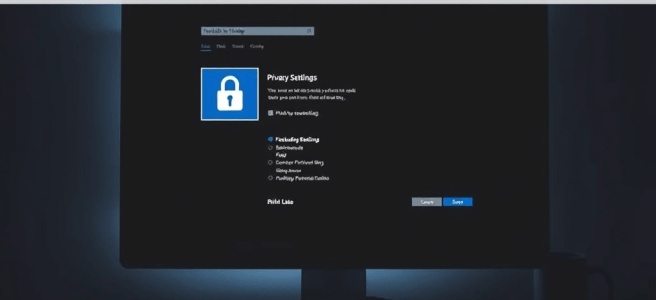
Nobody remembers your birthday. Maybe your immediate family, and sometimes that even gets speed bumps and potholes on memory lane. So when you see someone on Facebook saying “Thanks for all the birthday wishes”, it’s not because they have a plethora of friends with fantastic memories; it’s because of automation.
I typically try to hide the fact that it’s my birthday. When I was on Facebook, I blocked people from posting on my page. I also hid my birthdate in my settings. It’s mostly so I can see who really remembers. One year, I thought I had it disabled the setting, because I got a few messages from people whom I would expect. But then the birthday well-wishes started flooding in.
Facebook is perfect for remembering people’s birthdays and guilt-tripping you the next day for forgetting to wish someone a happy birthday. But let’s not forget that the main purpose of Facebook is to engage in religious and political rants, so you have no friends left to wish you a happy birthday.
How to:

Find your birth date and click the lock.

Enjoy your loneliness!
Getting Started with DTOs

A DTO is a plain C# class used to transfer data between layers (e.g., from your API to your Blazor client). It helps decouple your internal models from what you expose externally.
Create DTOs in a Shared Project
To share DTOs between your Blazor WASM and API:
- Create a Shared project (e.g.,
MyApp.Shared) - Add DTO classes there so both the Blazor client and API can reference them.
// MyApp.Shared/DTOs/ProductDto.cs
public class ProductDto
{
    public int Id { get; set; }
    public string Name { get; set; } = string.Empty;
    public decimal Price { get; set; }
}
In your ASP.NET Core Web API:
[ApiController]
[Route("api/[controller]")]
public class ProductsController : ControllerBase
{
    [HttpGet]
    public ActionResult<List<ProductDto>> GetProducts()
    {
        var products = new List<ProductDto>
        {
            new ProductDto { Id = 1, Name = "Widget", Price = 9.99M },
            new ProductDto { Id = 2, Name = "Gadget", Price = 19.99M }
        };
        return Ok(products);
    }
In your Blazor client project:
@inject HttpClient Http

@code {
    private List<ProductDto>? products;

    protected override async Task OnInitializedAsync()
    {
        products = await Http.GetFromJsonAsync<List<ProductDto>>("api/products");
    }
}
Or use a service class:
public class ProductService
{
    private readonly HttpClient _http;

    public ProductService(HttpClient http)
    {
        _http = http;
    }

    public async Task<List<ProductDto>?> GetProductsAsync()
    {
        return await _http.GetFromJsonAsync<List<ProductDto>>("api/products");
    }
}
Tips for DTO Design
- Keep DTOs flat and simple.
- Avoid exposing domain entities directly.
- Use nullable types if fields may be missing.
- Use records if immutability is preferred:
Fishing with Clickbait…

Cookie warnings
Everyone has to tell you they are using cookies, we all know this stop telling us, or stop using them.
Whitelisting
Now what website admins are hip to ad-blockers, everyone wants to be on the whitelist. You can either do that or subscribe to “premium” access. It’s gotten so bad with Screenrant.com that I had to stop visiting. When I put them on the whitelist I got so many javascript popups asking for a username and password to check my machine for a virus. When I took them off the whitelist they popped up a “premium” access offer and held my screen hostage for 30 seconds.
Pop-unders
Unlike pop-ups who used to throw up a new window. Popunders are those windows that dim the background and force you to read something before requiring you to take action. Some now have timers, they are also used with whitelists and…
Subscribe to our newsletter/email/discount
Usually, with some passive-aggressive statement such as “No thanks, I’d like to pay full price” or “I’d like to stay ignorant”. Sign up for any and prepare your inbox to be stuffed with garbage forever.
We value your feedback
Websites that need constant validation about how well they are doing. If you need feedback, you probably aren’t doing well.
Clickbait
Of course, everyone knows about clickbait at this point in their internet life. You know, you see an article titled “Man does this simple trick and lost 50 lbs in one day” Then when you click the bait, you see that he sawed off his own legs.
Why You Shouldn’t Hardcode Values in Software Engineering

Hardcoding values—embedding fixed data directly into your code—might seem convenient at first, but it’s a shortcut that often leads to long-term pain. Here’s why software engineers should avoid it:
1. Poor Maintainability
When values are hardcoded, changing them requires digging through the codebase. This increases the risk of missing instances or introducing bugs. Instead, using configuration files, environment variables, or constants makes updates easier and safer.
2. Reduced Flexibility
Hardcoded values limit your ability to adapt to different environments (e.g., dev, QA, prod). For example, a hardcoded database connection string or API key means you can’t easily switch contexts without modifying the code itself.
3. Testing Challenges
Unit tests and integration tests often require different inputs. Hardcoded values make it harder to inject test data, leading to brittle or less meaningful tests.
4. Security Risks
Embedding sensitive information like passwords or tokens directly in code can expose them to version control systems or unauthorized access. Externalizing secrets to secure vaults or environment variables is a safer approach.
5. Violates DRY Principle
Hardcoding often leads to duplication. If the same value is used in multiple places, and it changes, you’ll need to update it everywhere—violating the “Don’t Repeat Yourself” principle.
In summary, hardcoding values might save time today, but it costs you tomorrow in maintainability, flexibility, and security. Embrace configuration, constants, and dependency injection to build robust, scalable software.
 Daily Irritant
You must be logged in to post a comment.